PictoCard for Wii
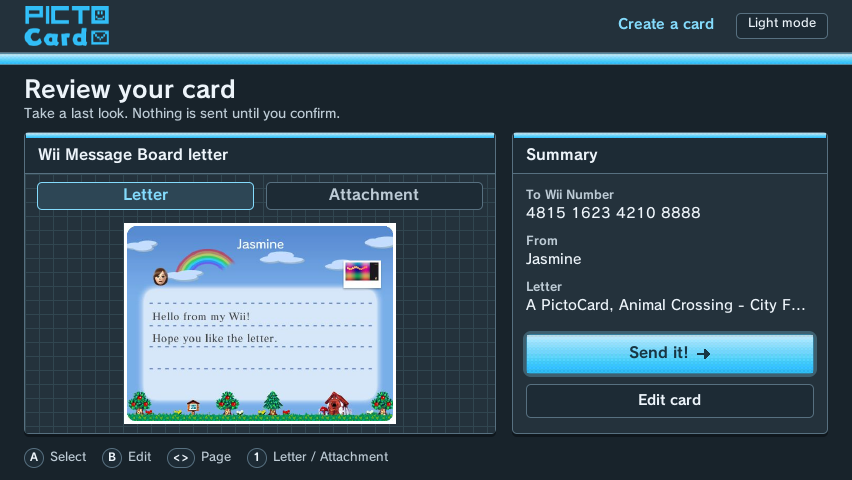
Send PictoCards right from your Wii. Pick a photo from your SD card, add a Mii from your Wii, and send it by email or to a Wii Message Board with WiiLink.
Download
A free app for the Homebrew Channel. It works with every controller you can connect to a Wii, and with a USB keyboard.
Version 1.0.0 · Homebrew Channel package (.zip) · All releases
Install
- Extract
PictoCard-Wii.zipto the root of your SD card or USB drive. It addsapps/PictoCard. - Put the SD card or USB drive in your Wii and open the Homebrew Channel.
- Choose PictoCard. Your Wii needs to be connected to the Internet.
- To receive letters on a Wii Message Board, that Wii adds PictoCard as a friend once. You can do that from the app or on the Add PictoCard to your Wii page.
What it can do
Cards and letters
- Email a PictoCard, or send a letter to any Wii Message Board.
- Use any photo on your SD card or USB drive: JPEG, PNG, WebP, GIF or BMP.
- Add a Mii from your Wii's Mii Channel, with an expression.
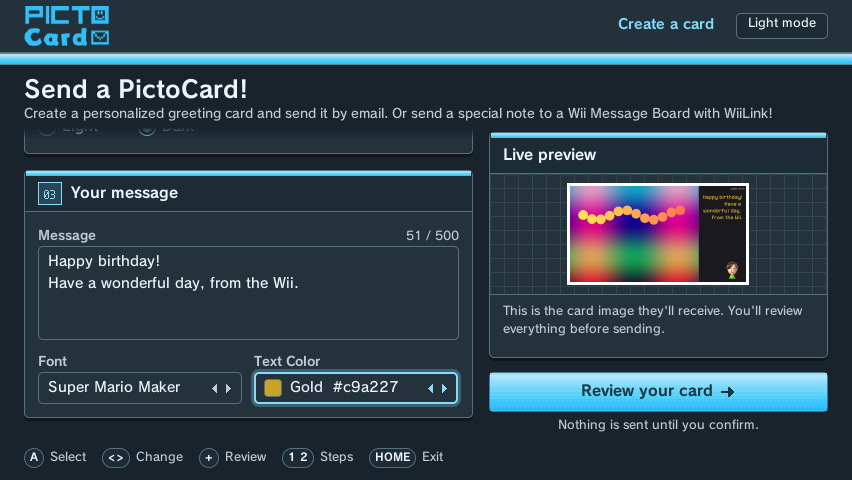
- Every font, text color, background and Wii letterhead from the website.
- Live preview and a final review before anything is sent.
Controllers
- Wii Remote, with the pointer, Nunchuk or Classic Controller
- GameCube controller
- Wii U GamePad and Wii U Pro Controller (on Wii U)
- DualShock 3 over USB
- USB keyboard for typing, or the on-screen keyboard